

AI-Generated Website Design: 5 Ways to Make Your Website Stand Out

Creating a website has never been easier. With today’s AI tools, you can describe your business in a few sentences, provide a prompt, and have an entire website generated within minutes. The process that once required hours of planning, designing, writing, and development can now begin with a simple conversation with an AI tool.
But there is a growing problem with AI-generated website design: many of these websites are starting to look exactly the same.
You see the same purple and blue gradients, the same oversized headings, the same Inter and Poppins fonts, the same centered layouts, the same feature cards, and even the same emojis scattered throughout the page. The website might look polished at first glance, but after seeing hundreds of similar websites, that polished appearance starts to feel generic.
And that’s the real challenge with using AI for web design. AI can create something that looks like a professional website, but it doesn’t automatically create something that feels like your brand.
The good news is that you don’t need to stop using AI. Instead, you need to take control of the creative decisions. AI can handle much of the heavy lifting, but your brand’s personality, visual identity, and design direction still need a human touch.
Here are five things you can improve to make an AI-generated website design feel more distinctive, professional, and connected to the business it represents.
1. Stop Using the Same AI Color Palette
One of the easiest ways to spot generic AI-generated website design is through its color palette. You’ve probably seen the combination countless times: a dark background, bright blue or purple accents, glowing gradients, rounded cards, and perhaps a few subtle shadows. It looks modern, but because so many websites use the same visual language, it has become predictable.
There is nothing inherently wrong with blue or purple, and gradients can absolutely be used effectively. The problem is choosing them simply because an AI tool associates them with the words “modern,” “futuristic,” or “professional.” Your website should reflect the identity of your business rather than the average design preferences of an AI model.
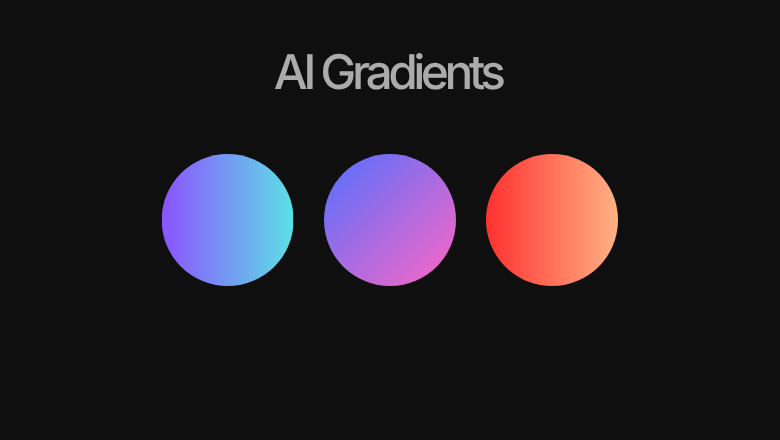
AI-generated website design
Colors are one of the strongest elements of a visual identity. They influence how people perceive a brand before they have even read the content. A luxury interior design studio, a cybersecurity company, a children’s clothing brand, and a financial consultancy should not automatically end up with the same color system just because they all asked AI for a modern website.
A good starting point is to build your design around a small, intentional color palette. You can use a primary brand color, a supporting color, and an accent color alongside neutral shades. The exact number isn’t a strict rule, but keeping the core palette controlled usually makes the interface feel more coherent.
Instead of telling AI to “create a modern website with blue and purple gradients,” give it information about the actual brand. Explain who the business serves, what it represents, how you want customers to feel, which colors are already associated with the brand, and what visual styles should be avoided.
The goal isn’t to avoid popular colors completely. The goal is to make sure there is a reason behind the colors you choose.
2. Give Your Typography Some Personality
Typography is another major giveaway when it comes to AI-generated websites. AI tends to choose fonts that are safe, familiar, and highly readable. That is why fonts such as Inter and Poppins appear so frequently in websites generated by AI tools.
Both are excellent typefaces. They are clean, flexible, modern, and extremely useful for web design. However, their popularity also means that they can make a website feel familiar before a visitor has even explored the rest of the page.
Typography is much more than a method of displaying words. It contributes to the personality of a brand and can dramatically change how a website feels. A refined serif can create a sense of elegance and heritage, while a geometric sans-serif can communicate a more modern and technical personality. A condensed typeface can create energy, while a humanist font can make a brand feel warmer and more approachable.
That doesn’t mean you should choose an unusual font simply to be different. A strange typeface that doesn’t fit the brand can be just as damaging as an overused one. The important thing is to select typography intentionally and establish a clear hierarchy between headings, subheadings, body text, buttons, and supporting information.
When prompting an AI website builder, don’t simply ask for “modern fonts.” Tell it what personality the typography should communicate and provide references when possible. You can also instruct it to avoid overly common font combinations if you want the result to feel more distinctive.
The best typography isn’t necessarily the most unusual typography. It’s typography that feels like it belongs to the brand.
3. Remove Unnecessary Emojis
Another common characteristic of AI-generated websites is the random use of emojis. Ask an AI tool to create a modern business website and you might find a rocket beside “Fast Delivery,” a lightning bolt beside “Fast Performance,” a trophy beside “Award-Winning Service,” and a lightbulb beside “Innovative Solutions.”
Emojis aren’t inherently bad. They can work very well for certain brands, especially when the visual language is intentionally playful, casual, or youthful. The problem begins when emojis are added simply because the design has an empty space that needs something visual.
Every element on a website should have a purpose. If an emoji doesn’t add meaning or strengthen the brand, removing it will often make the design feel cleaner immediately.
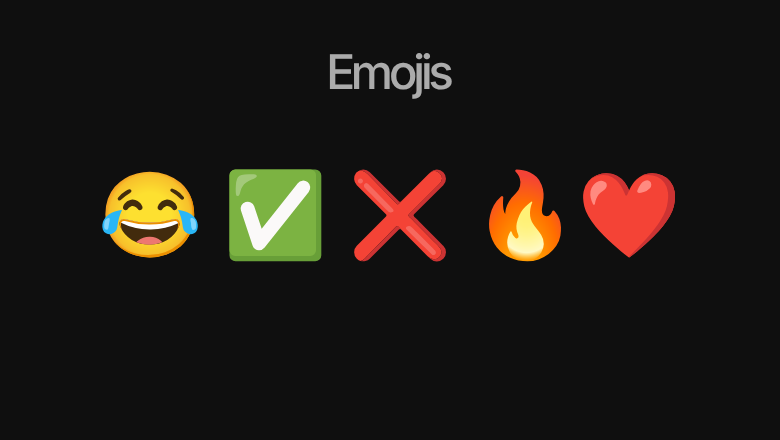
In many situations, a carefully selected icon will work better than an emoji because it can be styled to match the rest of the interface. Consistent stroke widths, shapes, proportions, and visual weight can make icons feel like part of a unified design system rather than random objects placed throughout the page.
Before adding any visual element, ask yourself whether it actually communicates something. If it does, make sure it matches the brand. If it doesn’t, there is nothing wrong with leaving the space empty.
Good design isn’t about filling every available space. Sometimes removing something is the better design decision.
4. Break Away From the Default AI Layout
This is one of the biggest opportunities to improve AI-generated website design. AI tends to play it safe, which means it frequently falls back on familiar website structures that have been proven to work across thousands of websites.
A typical AI-generated page might start with a centered headline, followed by a short paragraph and a button. Then you get three feature cards, another centered section, testimonials, and finally a large call-to-action section. There is nothing technically wrong with this structure. In fact, it works because visitors already understand how to navigate it.
The problem is that when every website follows the same formula, businesses begin to lose their individuality.
Instead of automatically centering every section, think about composition and visual hierarchy. You can experiment with asymmetrical layouts, split-screen sections, editorial-style compositions, large typography, overlapping imagery, offset grids, full-width visuals, and stronger use of whitespace.
The goal isn’t to make the website complicated or difficult to use. Good design isn’t about adding unusual layouts simply so the website looks different. It is about deciding where elements should go based on the content, the brand, and the experience you want to create.
A useful way to improve your design eye is to study high-quality websites rather than simply copying their appearance. Awwwards is one place where you can explore a wide range of modern web experiences. Instead of copying a particular website, pay attention to how designers use spacing, typography, imagery, grids, proportions, and visual hierarchy.
When you look at an interesting section, ask yourself a simple question: Why is this element positioned here? Understanding the reasoning behind a layout is much more valuable than simply asking AI to recreate its appearance.
5. Use Real Imagery Whenever Possible
One of the most effective ways to make a website feel authentic is also one of the simplest: use real imagery.
AI can generate beautiful images, and stock photography can provide thousands of professionally produced photographs. However, neither automatically tells visitors that there are real people and real experiences behind the business.
If you’re building a website for a restaurant, show the actual restaurant, food, staff, and environment. If you’re building a website for an agency, show the team and the people actually working there. If you’re a photographer, your portfolio should obviously feature your real work. If you’re a construction company, show the projects you have actually completed.
Real imagery gives visitors something that generic stock photography often cannot: evidence.

Imagine visiting two websites for the same service. One uses a perfectly polished stock photograph of people sitting around a conference table. The other shows the company’s actual team working together in their office. Even if the second photograph isn’t technically perfect, it can feel considerably more believable because you can see the people behind the business.
This is particularly important for small businesses and service-based companies. Your website isn’t only communicating what you sell. It is communicating who is behind the business.
AI-generated imagery still has plenty of useful applications. It can work well for concepts, illustrations, backgrounds, creative campaigns, and visual experiments. But when the purpose of an image is to prove that your business, team, product, or location is real, authentic photography is difficult to replace.
AI Should Make Your Website Faster, Not Make Every Website Look the Same
There is nothing wrong with using AI to build a website. In fact, AI-generated website design can make the entire web design and development process considerably faster.
AI can help you brainstorm layouts, generate initial copy, create components, write code, explore different visual directions, build prototypes, and iterate on ideas. Tasks that once required significant amounts of time can now be completed much faster.
The mistake is treating the first result AI gives you as the finished website.
Think of AI as an extremely fast design assistant. If you give it a vague instruction such as “create a modern professional website,” it will have to make hundreds of creative decisions for you. And because it is relying on familiar patterns, the result is likely to feel familiar too.
Instead, give AI a clear creative direction. Tell it about your target audience, brand personality, competitors, visual identity, typography, photography style, color palette, content hierarchy, preferred layouts, and the emotions you want visitors to experience.
The more useful context you provide, the more control you have over the final result.
Conclusion
AI isn’t necessarily making every website look the same. People are often giving AI the same instructions. If thousands of businesses ask an AI tool for a “modern, clean, professional, futuristic website,” it shouldn’t be surprising when the results share many of the same characteristics.
That’s why the future of AI-generated website design isn’t about avoiding AI. It’s about learning how to direct it. Use AI for speed. Use your own judgment for identity. Use real photography for authenticity. Use thoughtful typography, color, spacing, and composition to create a visual language that actually belongs to your business.
A website shouldn’t simply tell visitors that your business has an online presence. It should communicate what makes the business different, who it serves, and why someone should remember it. AI can help you build the website.
But your brand should decide what that website looks and feels like. If you need my help designing your website contact me